Victory Coaching App October Updates: What's New for Clients
By Victor Davis, Health Coach, Victory Health & Wellness.
Progress happens between sessions. It happens on a Tuesday morning when you log a workout before work, or on a busy Thursday when you swap lunch for something that still fits your plan. The Victory Coaching App is where that everyday work lives, so when it gets better, your coaching gets easier.
This month's app release added several features I'm excited about. Here's what changed, and more importantly, how each update helps you stay consistent.
A workout tracker that keeps your place
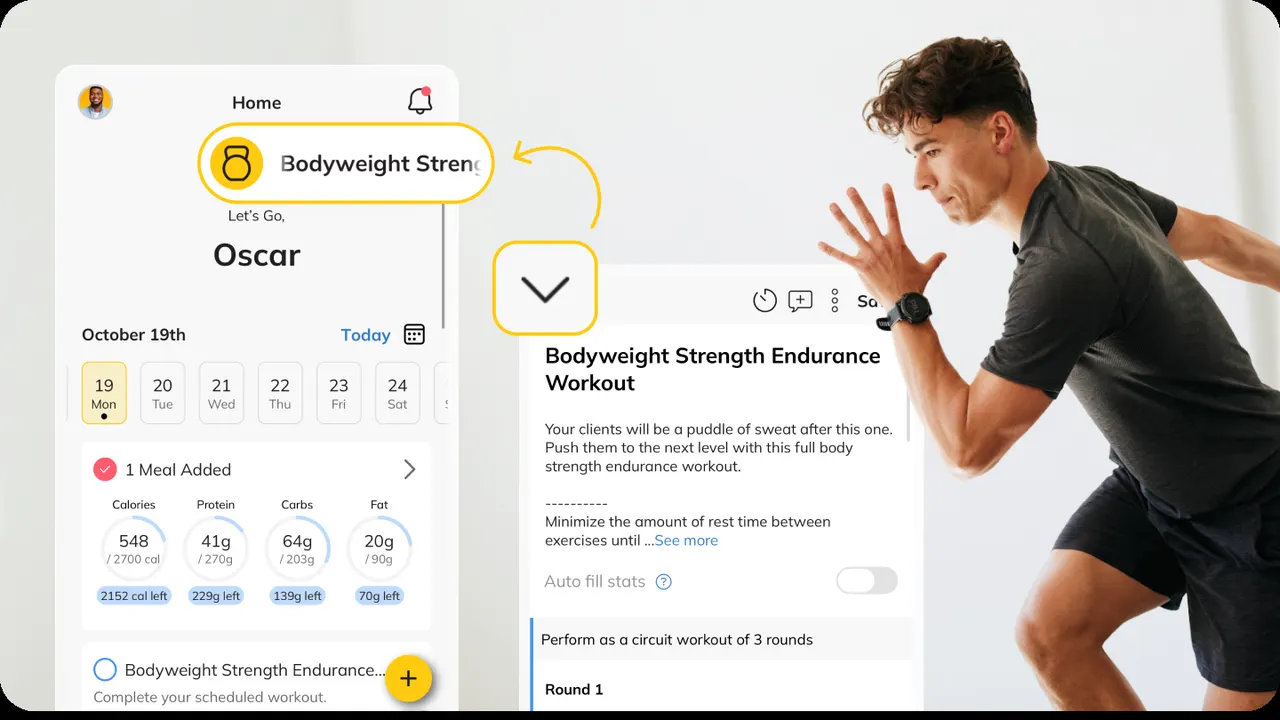
Ever needed to check a message from your coach in the middle of a set, only to lose your workout? That's fixed. Now, when you leave an active workout on your phone, it shrinks into a small floating button at the bottom of the screen. You can log water, check your meals, reply to a message or change a setting, then tap the button to jump right back in. Your sets, reps and timer are all still there.
Why it matters for you: fewer abandoned workouts and more accurate logs. When your logs are complete, I can make smarter changes to your program.
Step goals built into your day
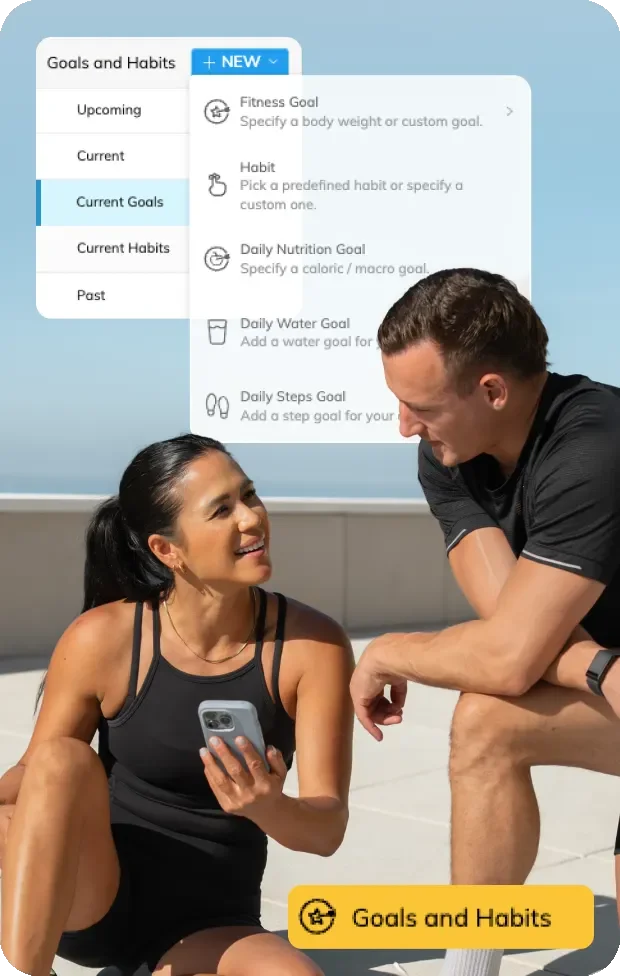
Your coach can now set a personal daily step goal for you. The app shows your progress using steps from your watch or phone, or steps you enter by hand. It turns step counting from something you glance at into a clear daily target.
Why it matters for you: daily walking is one of the simplest ways to support the physical activity pillar of the six pillars of lifestyle medicine. We start your goal where you are today and build gradually.
More flexible meal planning
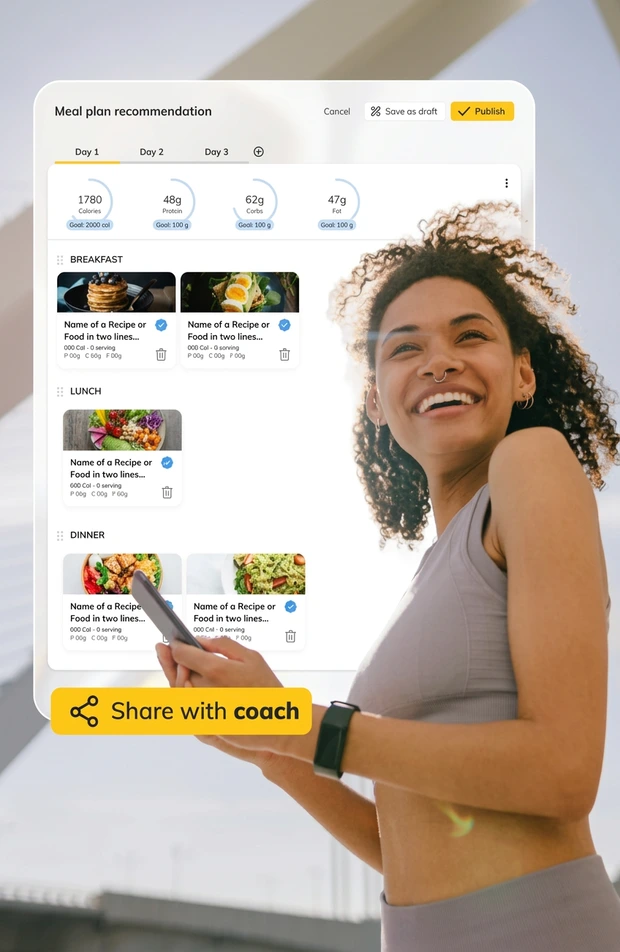
For clients in our nutrition programs, your coach can now let you build and edit your own meal plan right from your phone. Choose meals from the shared recipe library, swap a dinner when plans change, or set up the week ahead. Your calorie and macro targets stay set by your coach, so the flexibility never pulls you off course.
Why it matters for you: a plan you help build is a plan you're more likely to follow. You get more say in what you eat, and we keep the structure in place. Learn more about our nutrition coaching.
Cleaner data from your wearables
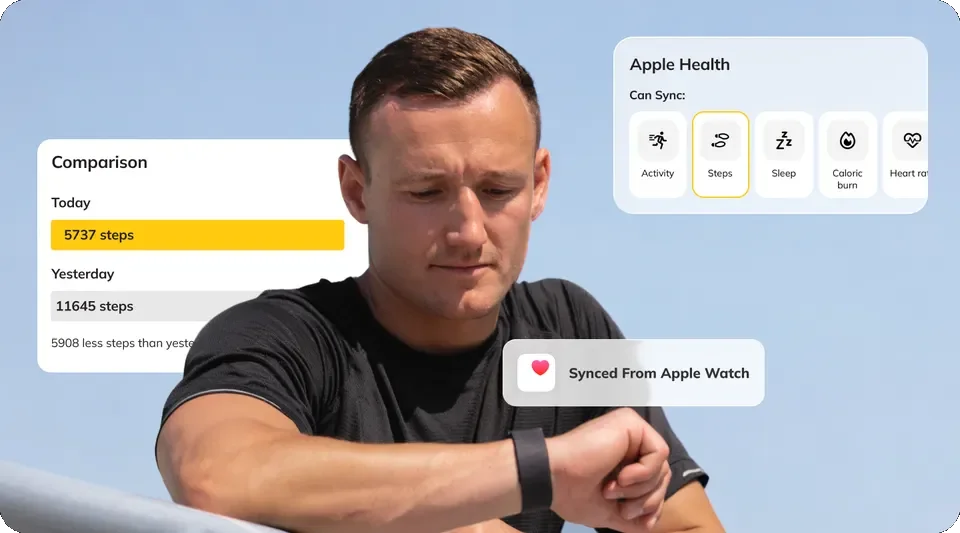
Many clients wear a watch and also carry a phone, or use a ring for sleep. That can mean two different step counts for the same day. Now you can choose a preferred source for each type of data. Pick your watch for steps and your ring for sleep, for example, from the Connections screen.
Why it matters for you: one consistent number means clearer trends. When your data makes sense, our check-ins focus on what to do next instead of which number is right.
More ways to earn points in challenges
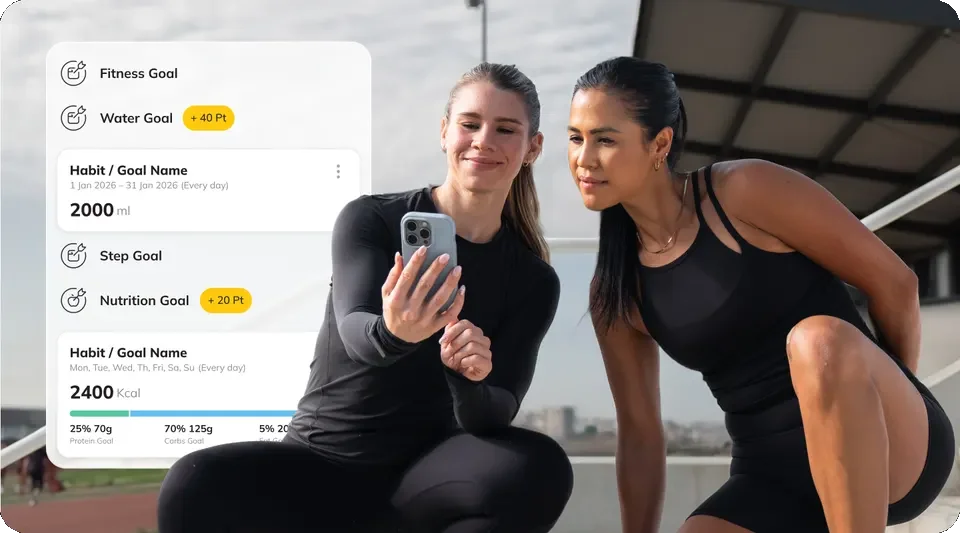
Victory challenges can now award points automatically when you hit your daily step goal or your daily water goal, and when you refer a friend. Points are added for you, so there's nothing extra to log.
Why it matters for you: challenges reward the small habits that add up, not extreme effort. They are a friendly way to stay accountable, whether you're a coaching client or part of a workplace wellness group.
A clearer view of your progress
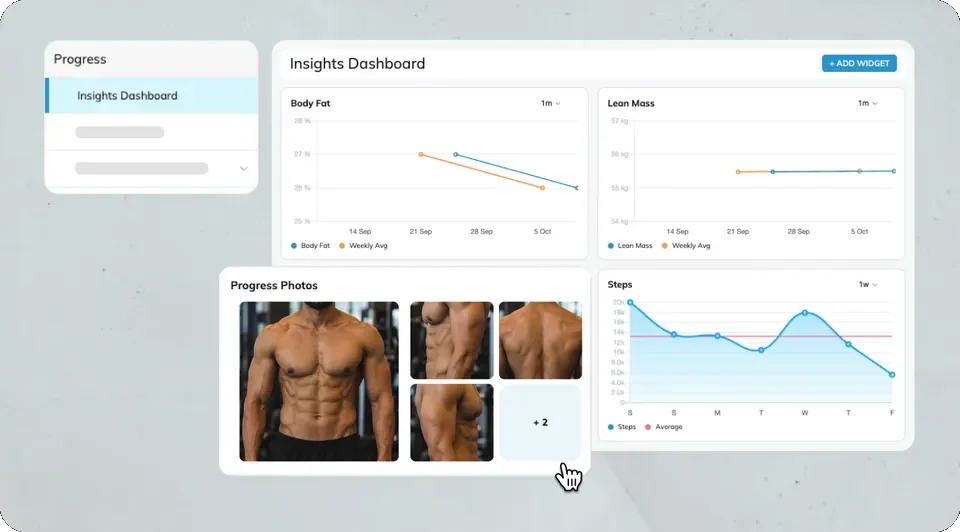
On our side, your coach's progress dashboard now shows body fat percentage, fat mass and lean mass trends with weekly averages, plus side-by-side progress photo comparisons and your check-in answers in one view. Progress photos are always optional.
Why it matters for you: your coach spends less time hunting for information and more time on feedback. These trends pair well with the in-clinic InBody 580 body composition scan, which gives an objective measurement to compare against.
How the app fits into your coaching
The app is a tool, not the program. Your coaching still comes from real conversations, objective testing and a plan built around your life. The app simply makes the daily part easier to follow and easier for us to review. Depending on your program, that may include monthly coaching calls, weekly app check-ins and optional testing like PNOĒ VO₂ max and metabolic testing.
The app supports healthy habits; it doesn't diagnose or treat medical conditions. Talk with your physician about medical questions or new symptoms.
Try the updates this week
- Update the app from the App Store or Google Play.
- Set your preferred data sources if you use more than one device.
- Ask your coach about a daily step goal or self-serve meal planning at your next check-in.
Try the Victory Coaching App free for 7 days
Not a Victory client yet? Try the Victory Coaching App free for 7 days. You can log workouts, track steps and explore the tools in this article before you choose a plan. Start your free 7-day trial, and we'll help you get set up.
Want a full coaching plan? Explore personal and online coaching, or book a free discovery call to see how the Victory Coaching App fits into a plan built for you. Coaching is available in Hutto and West Lake Hills and virtually nationwide.
FAQ
- Do I need to do anything to get the October Victory Coaching App updates?
- Update the Victory Coaching App from the App Store or Google Play. Workout, step and data-source features appear automatically. Step goals and self-serve meal planning are switched on by your coach, so ask during your next check-in.
- Can I change my calorie or macro targets in the new meal planner?
- No. You can build and swap meals from the shared recipe library, but your calorie and macro targets stay set by your coach. That keeps your plan flexible day to day while staying aligned with the goals you agreed on together.
- Which wearables work with the Victory Coaching App?
- The app syncs with common health platforms such as Apple Health and other connected wearables and apps. If you use more than one device, you can now pick a preferred source for each data type, like steps or sleep, so your numbers stop conflicting.
- Does the app replace in-clinic testing like the InBody 580 scan?
- No. The app tracks daily habits and trends between visits. In-clinic tests such as the InBody 580 scan and PNOĒ metabolic testing give objective measurements your coach uses to adjust your plan.
- Can I try the Victory Coaching App before joining a program?
- Yes. New clients can try the Victory Coaching App free for 7 days to explore workout logging, step tracking and other tools before choosing a coaching plan.
Get new articles by email
Grab the free Victory Wellness Guide and we'll send practical health tips and new articles to your inbox.
Ready to work on your health goals?
Our health and wellness team in West Lake Hills, Hutto, and virtually nationwide can build a plan around your goals.